

THE PLATFORM
Twelve surfaces, a single base underneath.
Each finance function has the format it needs — statement, document, spreadsheet, presentation, board — and all of them read the same engine. Switching surface is not recalculating, it is changing window.
- Native surfaces
- 12
- Base underneath
- Uma
- Recalculation across them
- None
Companies already operating on LeverPro








5 business days
for the P&L to be ready at Distrivisa — before, it only closed on the 15th
Distrivisa
+100
ERPs integrated natively, the Brazilian ones included
12
native surfaces reading the same base
ISO 27001
information security management
WHAT HOLDS IT UP TODAY
Every tool rebuilds the figure on its own
None of these is the team's lack of effort. They are limits of where the data lives.
Each tool has its own copy of the data
BI extracted yesterday, the spreadsheet was saved on Friday, the slide was built on Tuesday. Three truths.
Changing format means rework
Taking the statement's figure into the presentation means copying, formatting and checking.
The new tool does not know the rest
Each addition to the stack starts from zero, without the context the others already have.
WHAT CHANGES
The format changes; the figure does not
Form follows function
Controllership works in statements, FP&A in spreadsheets and models, the board in dashboards and slides. Each on the right surface, over the same data.
No surface recalculates
The calculation belongs to the engine. The surfaces read — and that is what keeps two of them from disagreeing.
The base, opened outward
The MCP surface hands the base to other AIs, and the Power BI one serves prepared data to whoever already lives in BI.
Levir AI operates them
A request in plain language triggers the surface whose output solves it.
THE CATALOGUE
All twelve, by name
Open any of them to see it running on real data.
- Financial AI & PlanningBudget, forecast and scenarios
- Doc AIDocuments and financial statement notes
- Spread AISpreadsheets linked to the base
- Slides AIExecutive and board material
- People AIHeadcount and projected payroll
- Strategy AIMap, scorecard and analyses
- List AIThe cycle's lists and checks
- Space AIWorkspaces by area
- WorkflowsApproval by authority limit
- Integration HubThe ERP connectors
- MCPThe base, open to other AIs
- PowerBIData served to BI
THE SURFACES IN OPERATION
The note, the payroll and the budget coming out finished
-
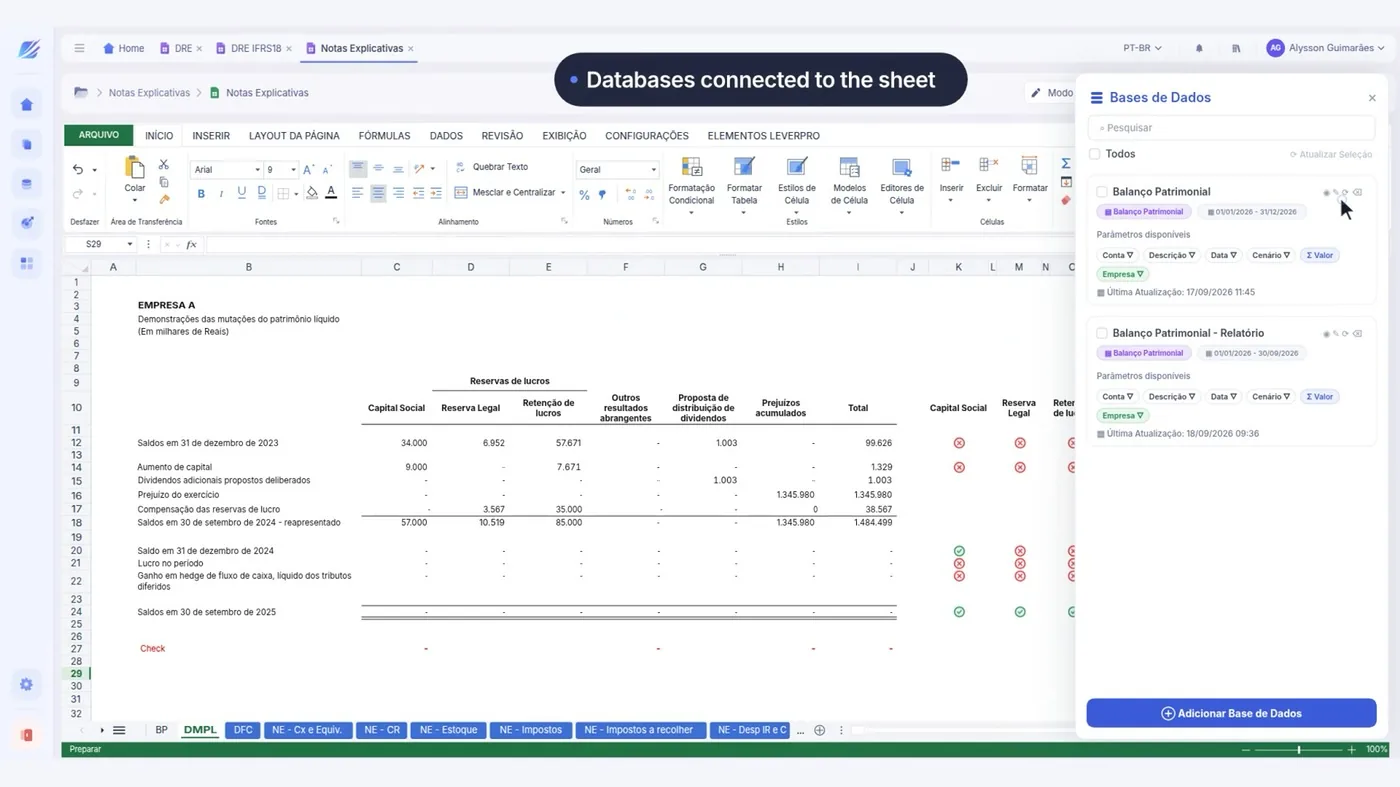 Financial Reports
Notes to the Statements
Doc AI writes the note beside the statement, reading its figures.
See the interface
-
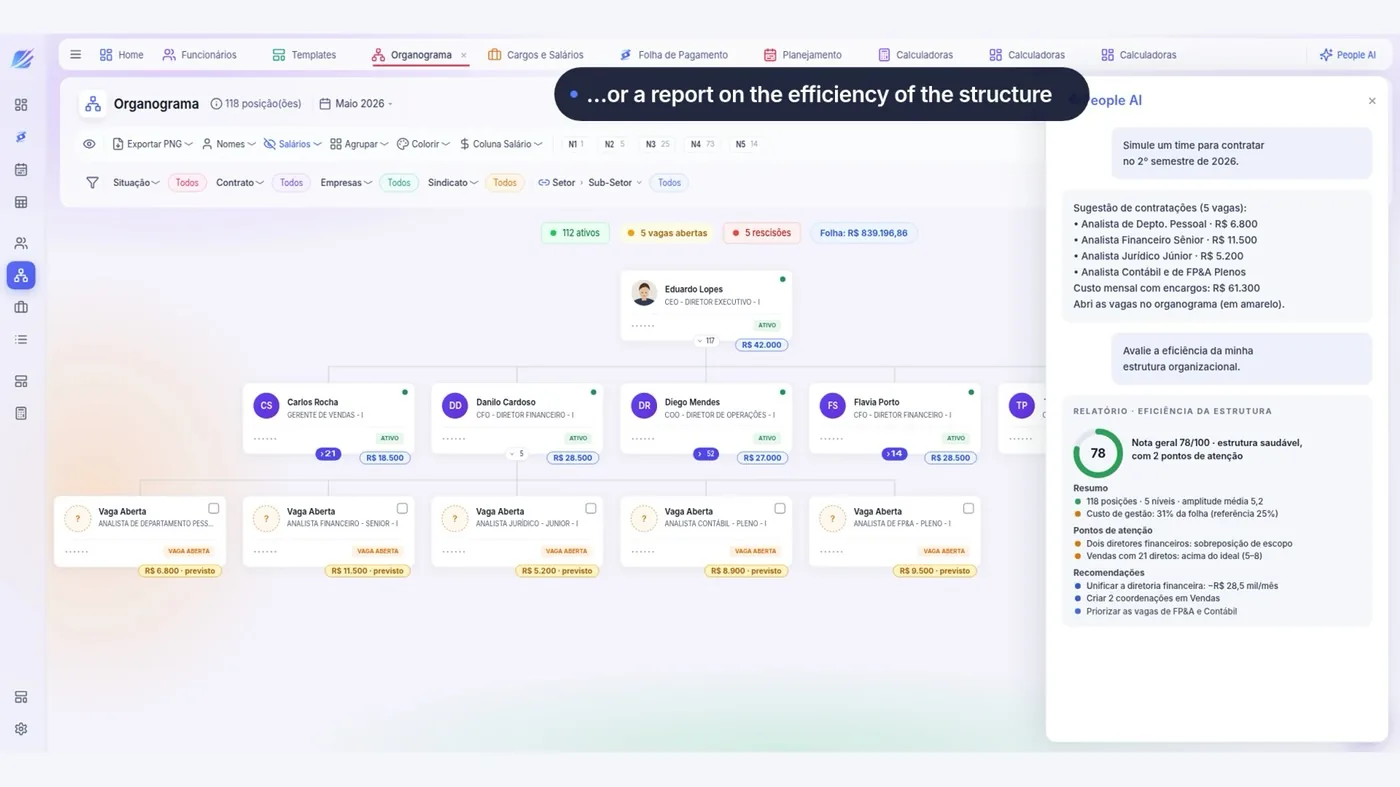 Budget Planning
Org Chart and Payroll
Headcount, roles and projected payroll, with the effect reaching the P&L.
See the interface
-
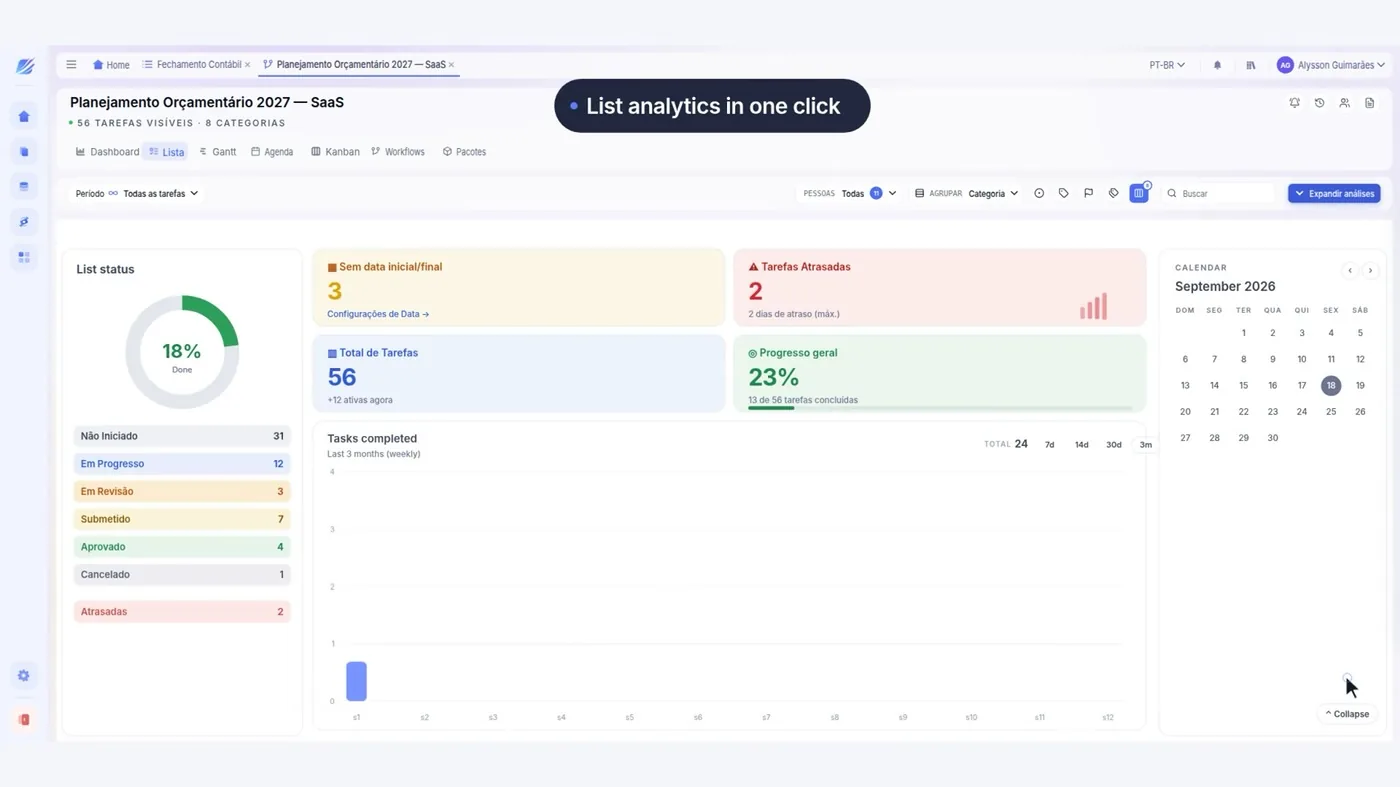 Budget Planning
Budget Control
The whole cycle: tasks, owners and approval by authority limit.
See the interface
-
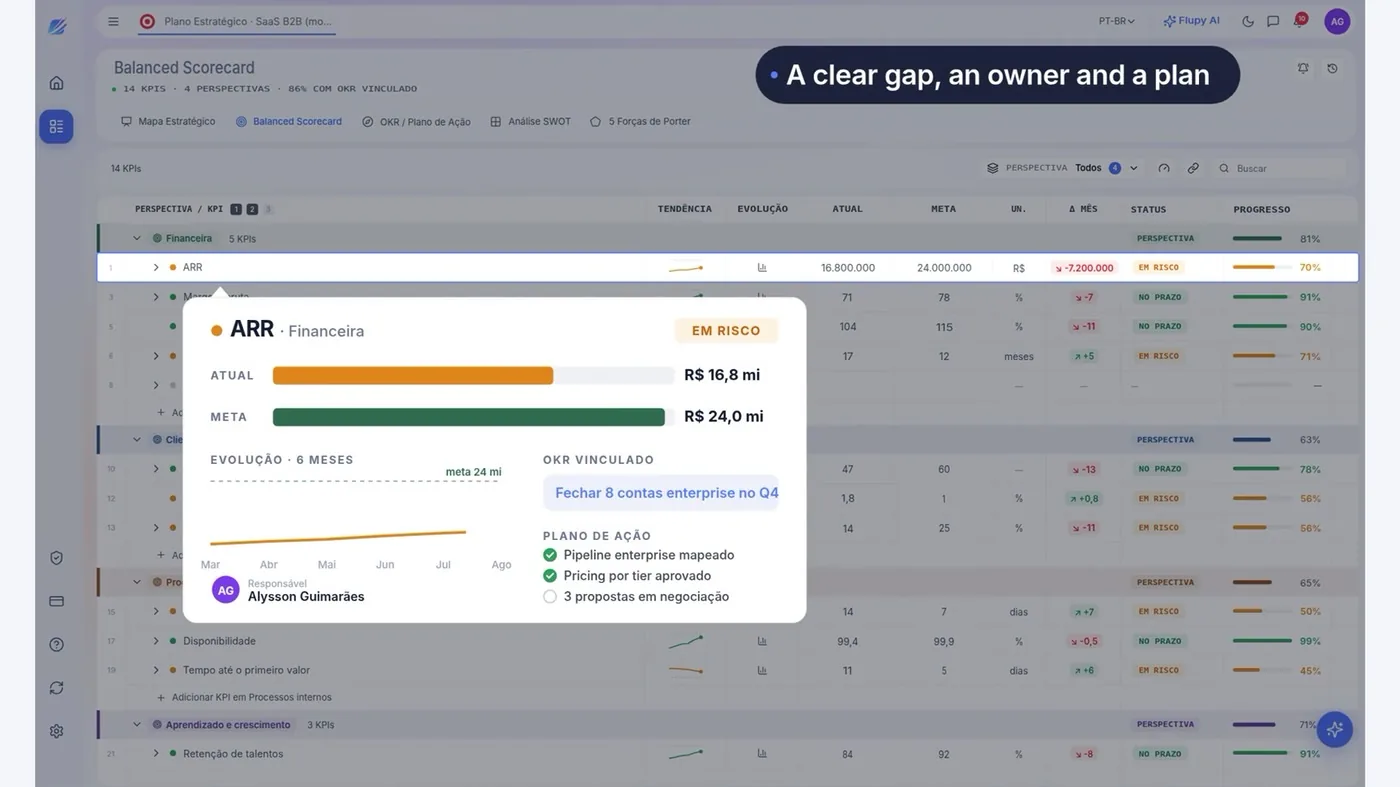 Strategic Planning
Balanced Scorecard
Fourteen metrics across four perspectives, with the OKRs linked.
See the interface
-
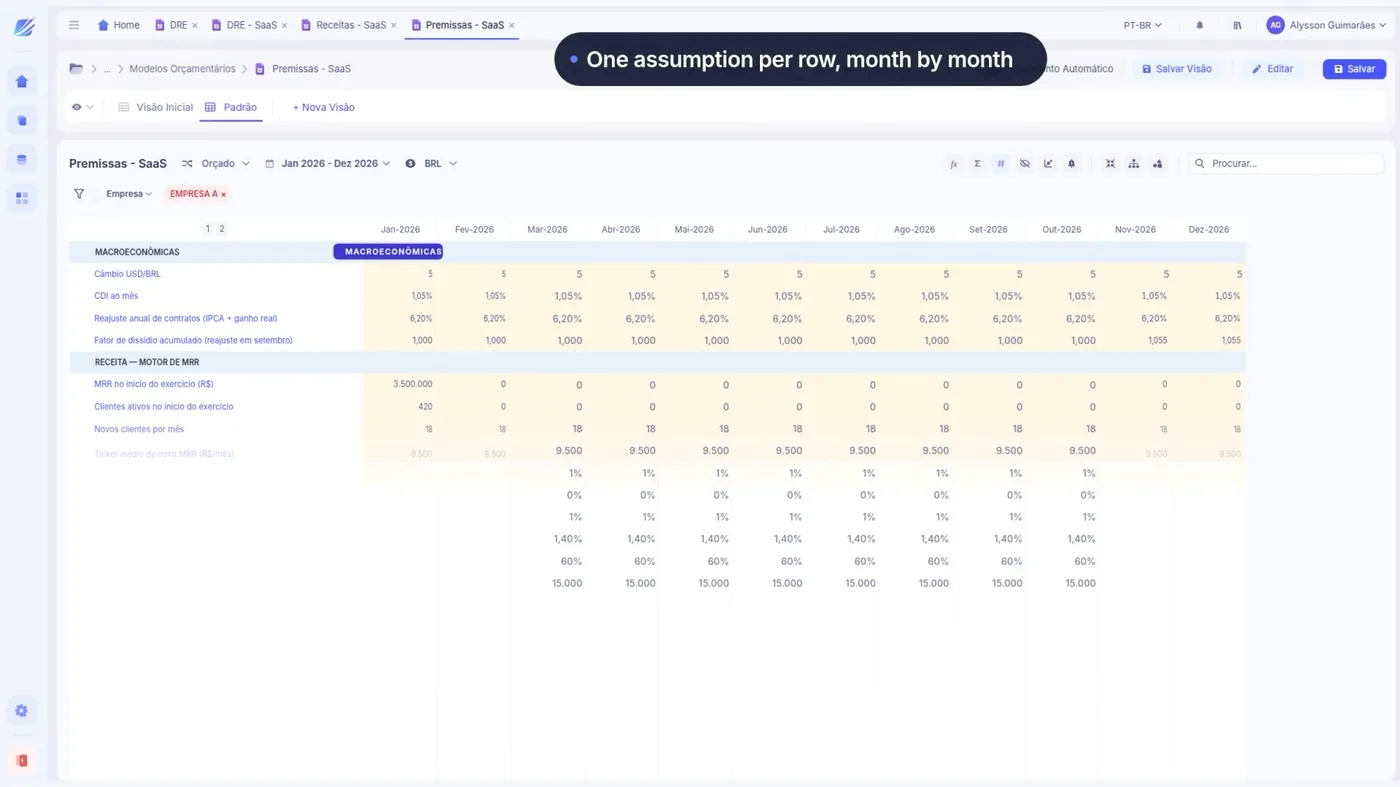 Budget Planning
Financial Modeling
P&L, revenue and assumptions as a single model, with no broken formula.
See the interface
-
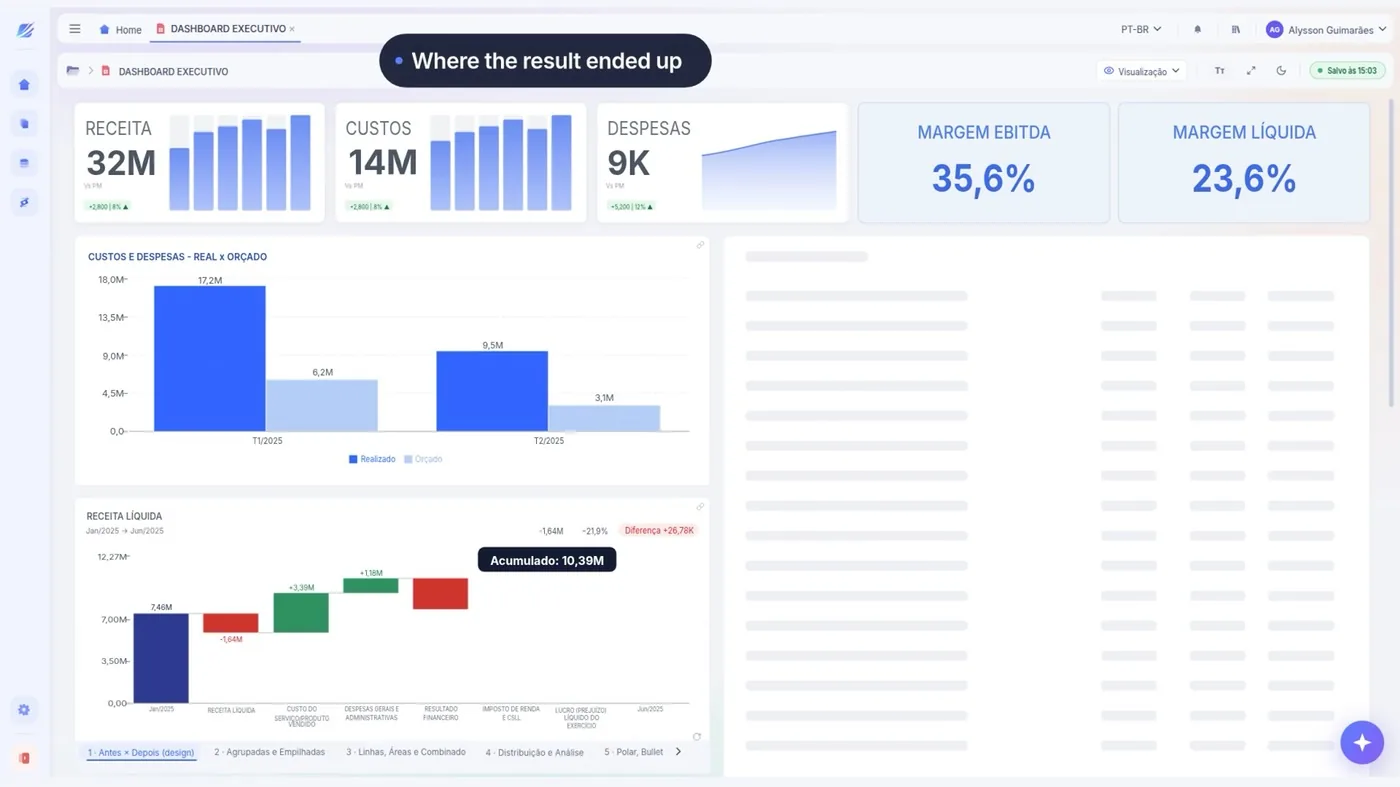 Financial Reports
Executive Dashboard
The month's metrics, the trend and the comparison by area on one screen.
See the interface
Thirty minutes on how your planning runs today.
Book a diagnostic
“Controllership now runs with higher productivity and confidence in the data. LeverPro brought speed, accuracy and a single place for our information.”
Grupo Santa Joana · Healthcare
QUESTIONS
What people usually ask
If yours is not here, ask — we reply within one business day.
Do I have to buy all twelve?
Is Spread AI an Excel file?
And those already on Power BI?
What is the MCP surface?
Do you have HR, marketing and sales agents?
RECOGNITION



Four years running in the 100 Open Startups ranking.
HOW YOUR DATA IS KEPT
-
Who gets in
Corporate authentication through the identity provider the company already uses.
-
Who sees what
Permission by area and by slice, on the same base — with no copy of the file.
-
Where the figure came from
A trail from the consolidated figure to the source accounting entry.
-
How the data comes out
Export guaranteed. The data belongs to your company.
Let's look at your budget cycle
Thirty minutes with people who do this every day, about how your planning runs today.
You leave knowing what can be solved first — or with us telling you it doesn't make sense.
No spam and no mailing list — we reply within one business day.
What happens in the conversation
- You tell us how planning runs today
- We point out what can be solved first
- Where LeverPro fits into your ERP and your spreadsheets
- Or we tell you it doesn't make sense, and that's that
How your data is kept
ISO 27001LGPDSSO / SAMLExportable data