

Financial Reports
The month's management P&L, built by the engine and not by the spreadsheet.
Revenue, deductions, cost, expense and EBITDA with the budget in the next column — broken down by branch and cost centre, and each line with the accounting entry underneath.
- The interface
- Management P&L
- Duration
- 30 s
- Area
- Controllership
Companies already operating on LeverPro








5 business days
for the P&L to be ready at Distrivisa — before, it only closed on the 15th
Distrivisa
+100
ERPs integrated natively, the Brazilian ones included
12
native surfaces reading the same base
ISO 27001
information security management
WHAT HOLDS IT UP TODAY
The P&L only exists once someone builds it
It is not a lack of effort: it is the format. A spreadsheet has nowhere to hold the rule, the trail and the permission at once.
The P&L only exists once someone builds it
The ledger leaves the ERP, the spreadsheet reclassifies, the formula breaks in a month with thirteen columns. The report is a manual artefact — which is why it runs late when the person who builds it is on leave.
Nobody can answer "why"
The figure is in the cell, but the path to it is in the head of whoever built it. Asking what pulled the margin down costs half a day of investigation.
Each area brings its own version
Sales breaks revenue down one way, controllership another. The meeting starts by reconciling two files instead of discussing the result.
FINANCIAL REPORTS
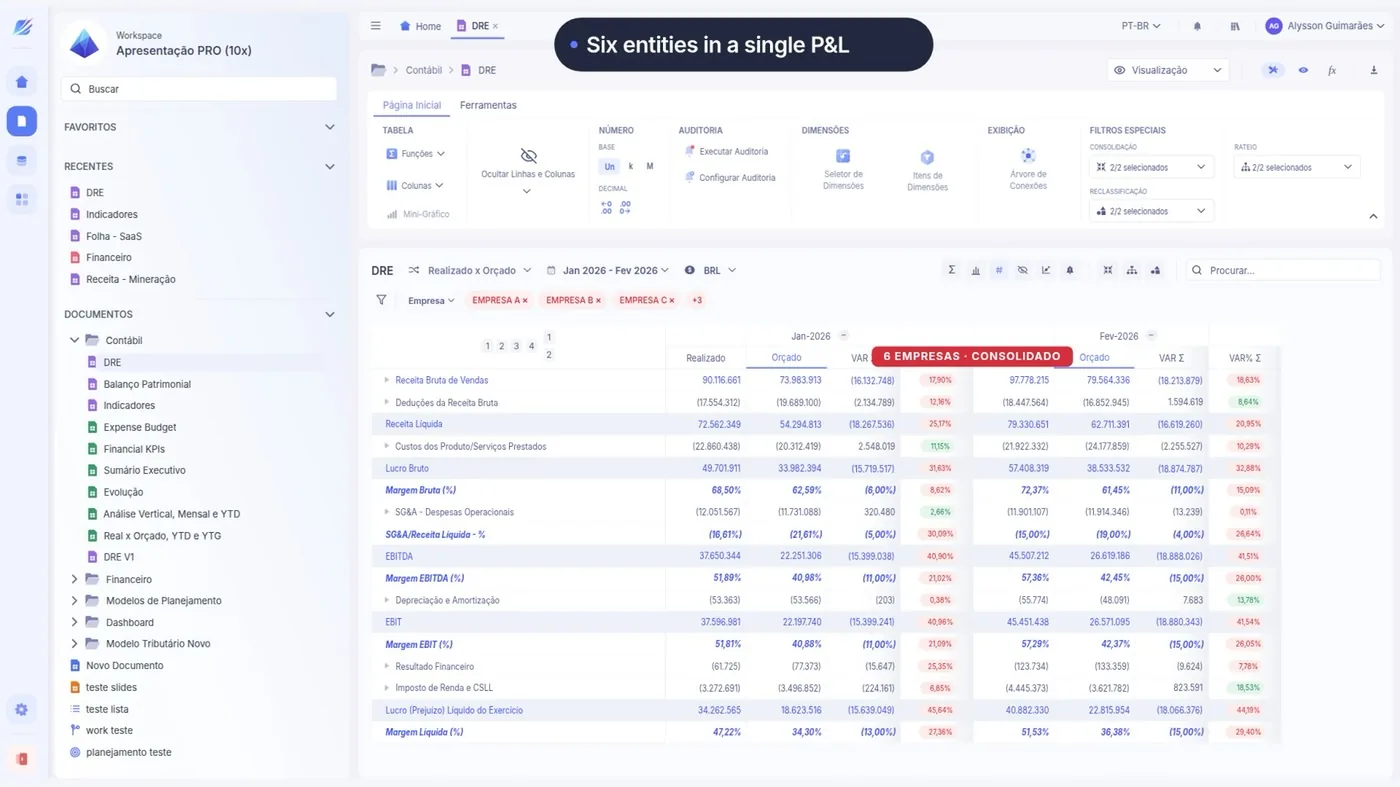
Management P&L running in LeverPro
30 seconds of the platform really running, recorded from the interface itself. Press play.
Management P&L open in LeverPro, with revenue, cost and EBITDA lines and the actual-versus-budget comparison.
WHAT YOU SEE ON SCREEN
The statement already broken down, and the variance already calculated
Four things happen on this screen, and each one settles a piece of the month.
- 0:02
The statement is already broken down
Nobody built anything. The lines come from the management chart of accounts and the period is a selection, not a new tab.
- 0:09
Actual and budget on the same line
The variance column is calculated in the engine. There is no second spreadsheet with the budget to match up later.
- 0:17
The breakdown by branch and cost centre
The same statement, sliced. The totals still add up because the slice belongs to the data, not to a copy.
- 0:24
The path down to the entry
From the cost line to the ledger, without leaving the screen. It is what answers "why" while the meeting is still on.
BEFORE AND AFTER
The same operation, in both formats
How it runs today
- Export the ledger, paste it into the spreadsheet, reclassify by hand
- A budget tab in another file, matched with VLOOKUP
- Breaking down by branch means copying the whole spreadsheet
- Tracing a figure means reopening the ERP in another window
With LeverPro
- The statement is ready as soon as the period closes
- Budget, actual and variance calculated in the same engine
- Branch, cost centre and project are slices of the same base
- From the line to the accounting entry in one click
Want to see this on your own figures, and not the video's?
Book a diagnosticHOW IT WORKS
From the ERP entry to the interface
Three steps, and the second is the one most tools skip.
-
The ledger comes from the ERP
The Integration Hub reads Totvs, Senior, SAP, Oracle and Dynamics natively and brings the entry with its source account structure.
-
The management chart of accounts translates
This is where different accounts from different companies come to mean the same line. Without it, consolidating is adding up labels.
-
The statement is a view of the engine
Changing one line's rule changes the P&L, the dashboard and the spreadsheet at once — there is no report to update afterwards.
WHO USES IT
What each role takes from this
Controller
Publishes the statement without building a spreadsheet and answers the auditors with the path to the entry.
FP&A
Compares actual and budget on one screen and takes the variance into the analysis within the month.
CFO
Opens the same figure the team opened, with the same breakdown, without asking for the file by email.

“With LeverPro we gained organized information and confidence in decision-making. The P&L, which used to close only on the 15th, is now ready in 5 business days — and the forecast went from one-off to routine.”
Distrivisa · Distribution
RELATED INTERFACES
Other Controllership interfaces
The same base, a different operation.
-
 Financial Reports
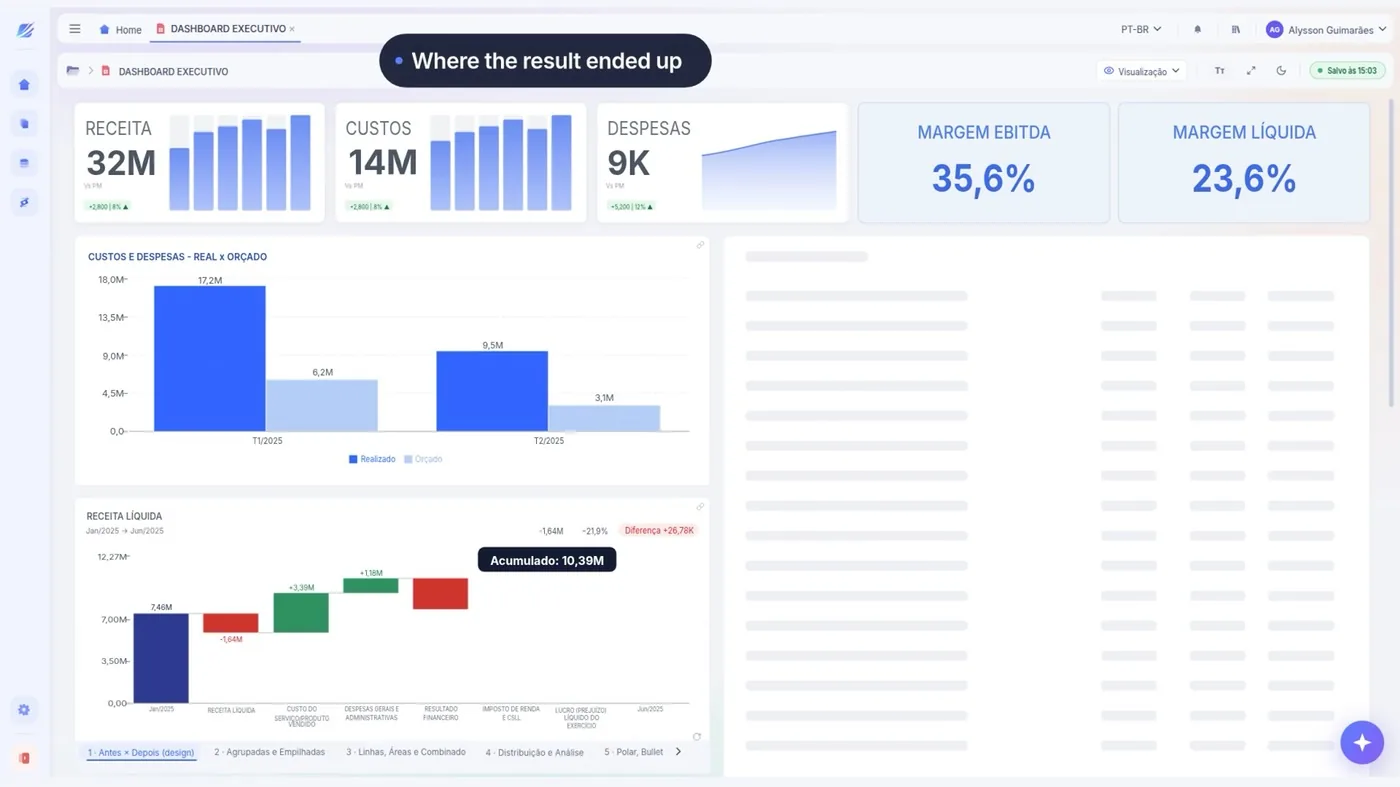
Executive Dashboard
The month's metrics, the trend and the comparison by area on one screen.
See the interface
-
 Financial Reports
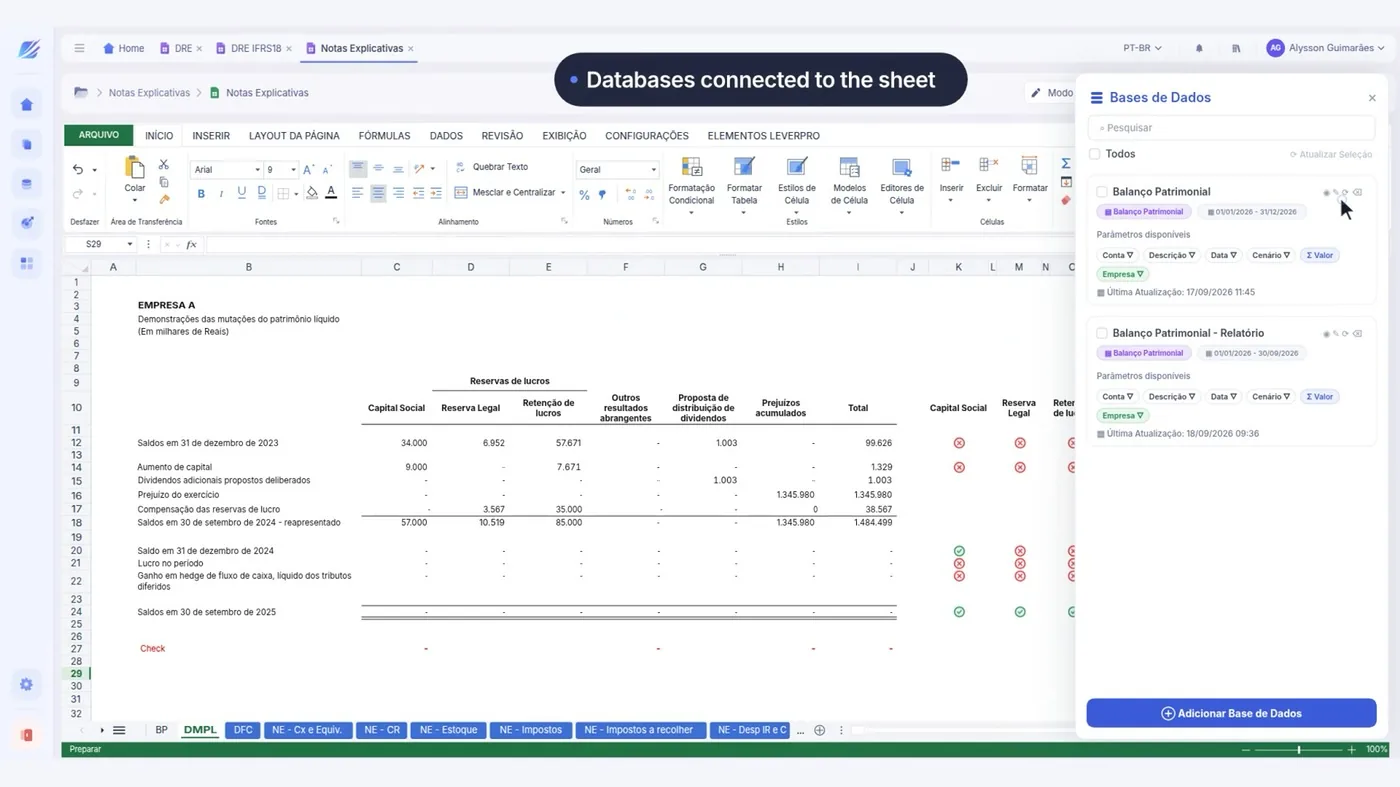
Notes to the Statements
Doc AI writes the note beside the statement, reading its figures.
See the interface
- See Controllership in full The area's 3 interfaces, what holds it up today and who uses it. Open
QUESTIONS
What people usually ask about this interface
If yours is not here, ask — we reply within one business day.
Does the management P&L replace the statutory one?
Can there be more than one P&L structure?
And group consolidation with different charts of accounts?
Can I export to Excel?
RECOGNITION




Four years running in the 100 Open Startups ranking.
HOW YOUR DATA IS KEPT
-
Who gets in
Corporate authentication through the identity provider the company already uses.
-
Who sees what
Permission by area and by slice, on the same base — with no copy of the file.
-
Where the figure came from
A trail from the consolidated figure to the source accounting entry.
-
How the data comes out
Export guaranteed. The data belongs to your company.
Let's look at your budget cycle
Thirty minutes with people who do this every day, about how your planning runs today.
You leave knowing what can be solved first — or with us telling you it doesn't make sense.
No spam and no mailing list — we reply within one business day.
What happens in the conversation
- You tell us how planning runs today
- We point out what can be solved first
- Where LeverPro fits into your ERP and your spreadsheets
- Or we tell you it doesn't make sense, and that's that
How your data is kept
ISO 27001LGPDSSO / SAMLExportable data